
From TypeScript Method to Embedded Chat UI
Weather is intentionally simple here. The point is not weather. The point is that one TypeScript method can become a CLI command, a Beam form, an MCP tool, and an embedded app surface for MCP app-capable chat clients.
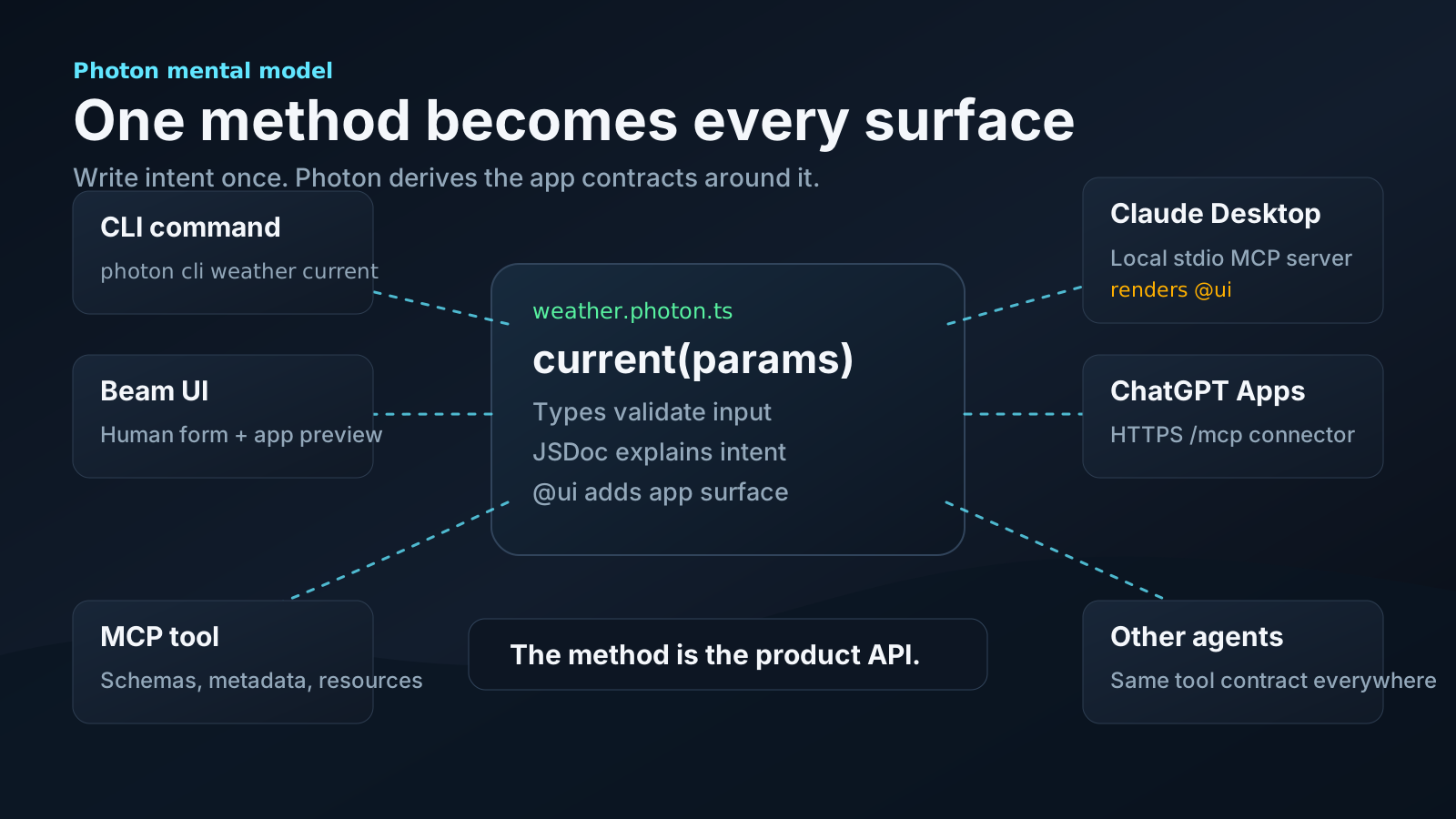
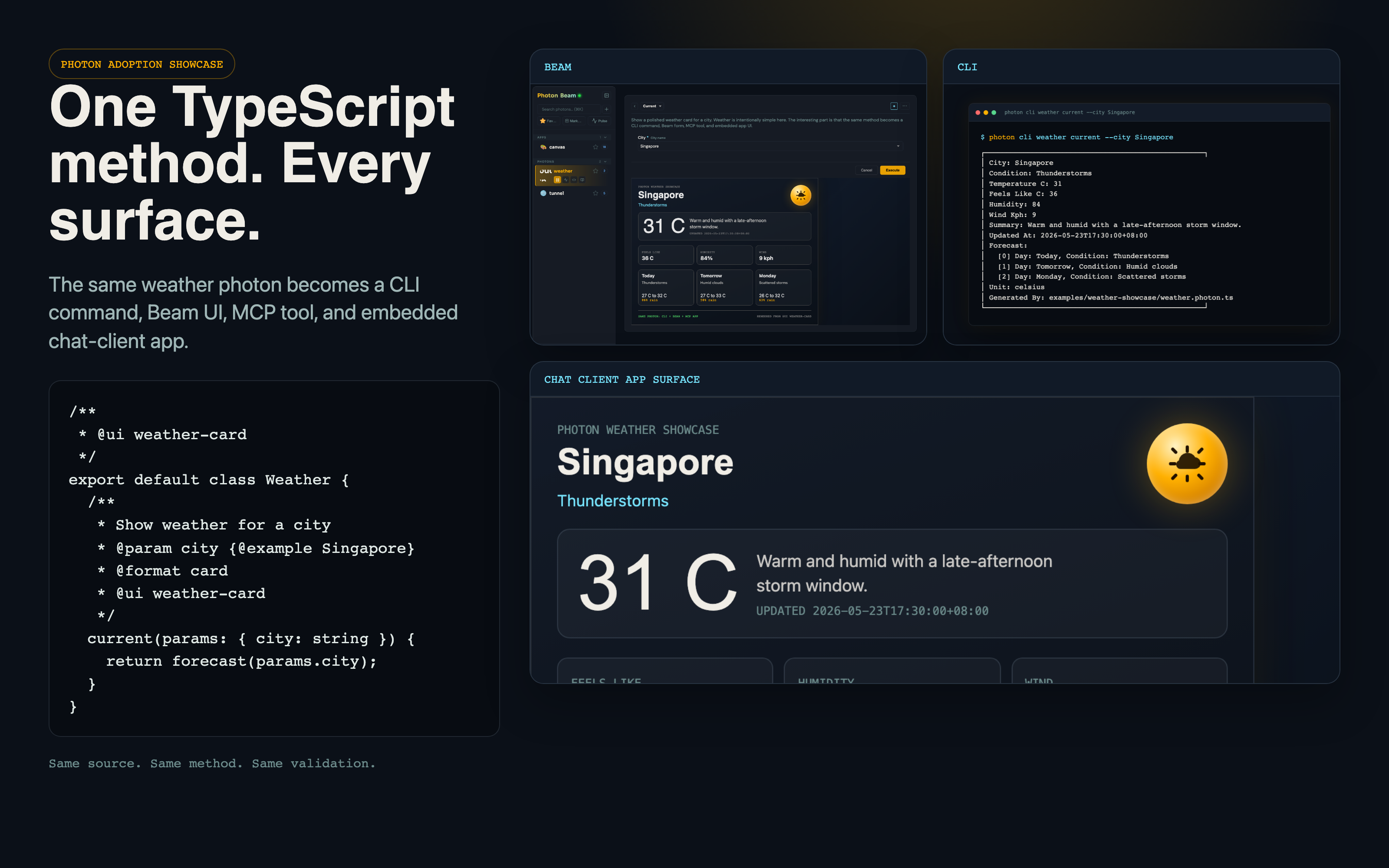
The complete example lives in examples/weather-showcase/weather.photon.ts.
1. Start with a Method
export default class Weather {
  current(city: string) {
    return forecast(city);
  }
}
That is the core Photon move: the method is the capability. Photon can expose that capability through multiple surfaces without a separate CLI parser, web form, MCP schema, or app wrapper.
2. Add Intent
/**
 * Show a polished weather card for a city.
 *
 * @param city City name {@example Singapore} {@choice Singapore,London,San Francisco}
 * @format card
 * @readOnly
 */
current(params: { city: string }) {
  return forecast(params.city);
}
Those comments are not decorative. Photon uses them to shape the generated form, CLI help, MCP tool description, validation, and default result renderer.
3. Add an App UI
/**
 * @ui weather-card
 */
export default class Weather {
  /**
   * @ui weather-card
   */
  current(params: { city: string }) {
    return forecast(params.city);
  }
}
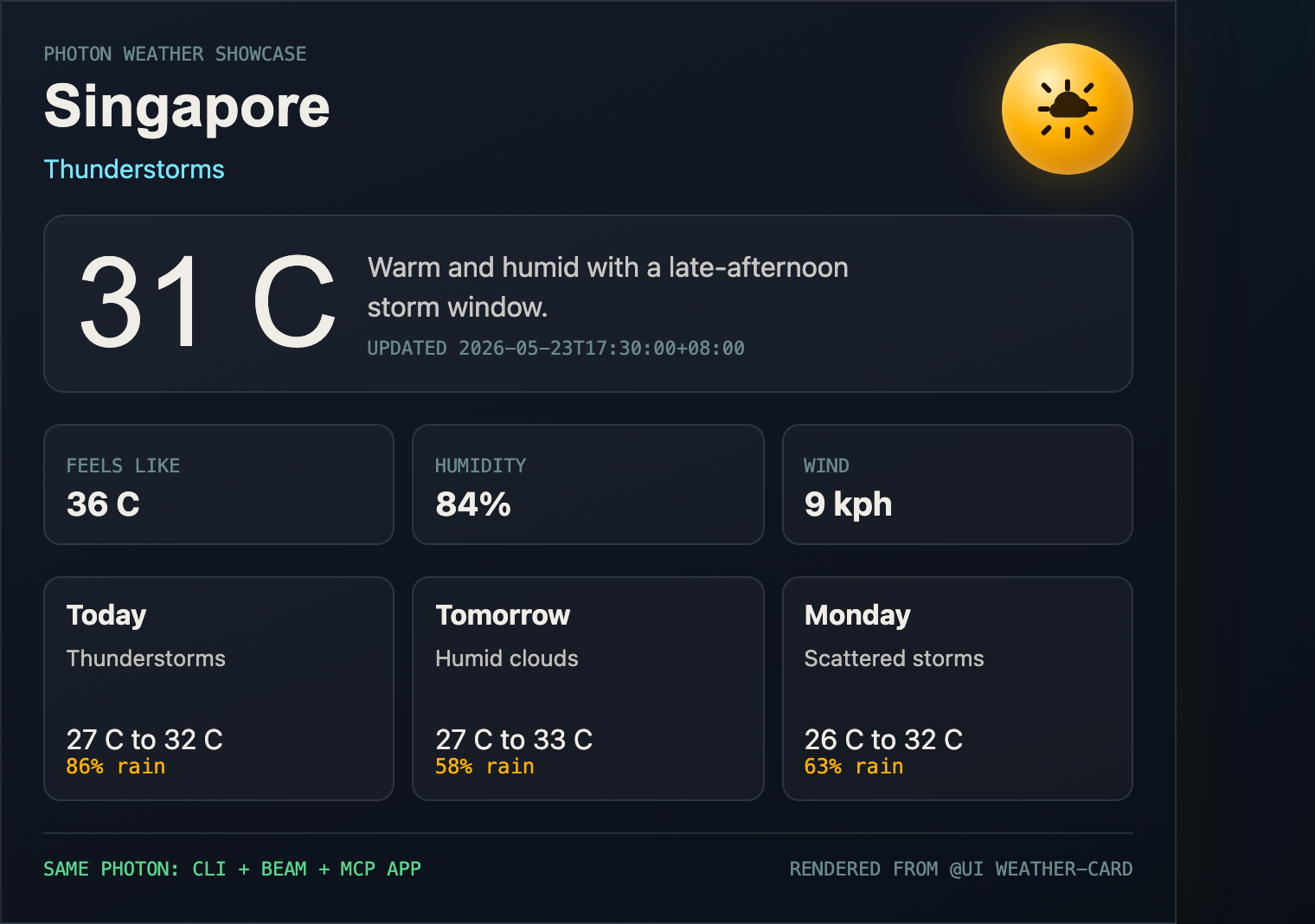
The class-level @ui weather-card resolves to ui/weather-card.html. That HTML receives the method result through the Photon bridge and renders the same weather card in Beam and in MCP app-capable clients.
4. Run It in Beam
cd examples/weather-showcase
node ../../dist/cli.js beam
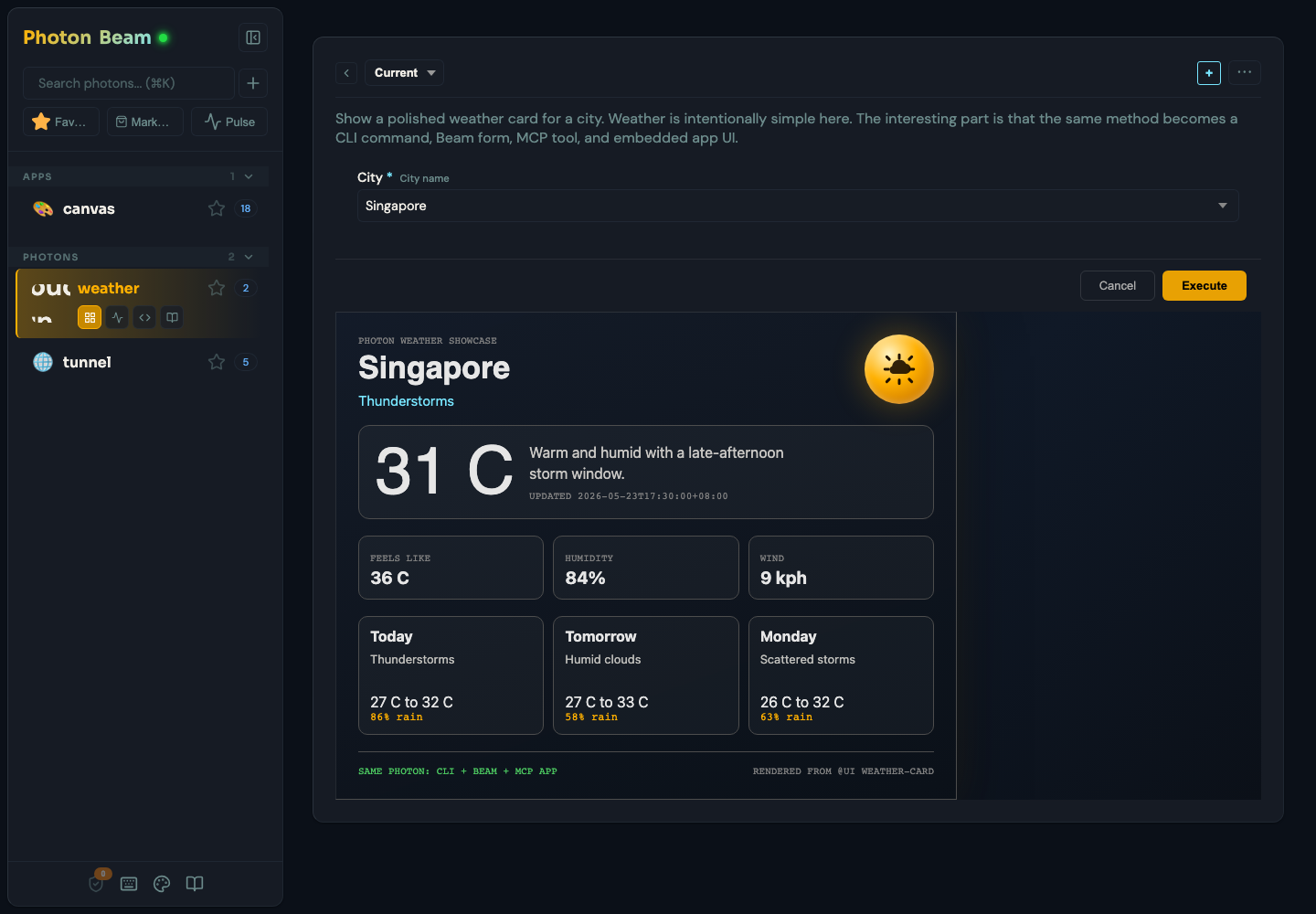
Select weather, choose the current method, pick Singapore, and execute. Beam renders the custom UI from the real method result.
5. Run the Same Method from CLI
cd examples/weather-showcase
node ../../dist/cli.js cli weather current --city Singapore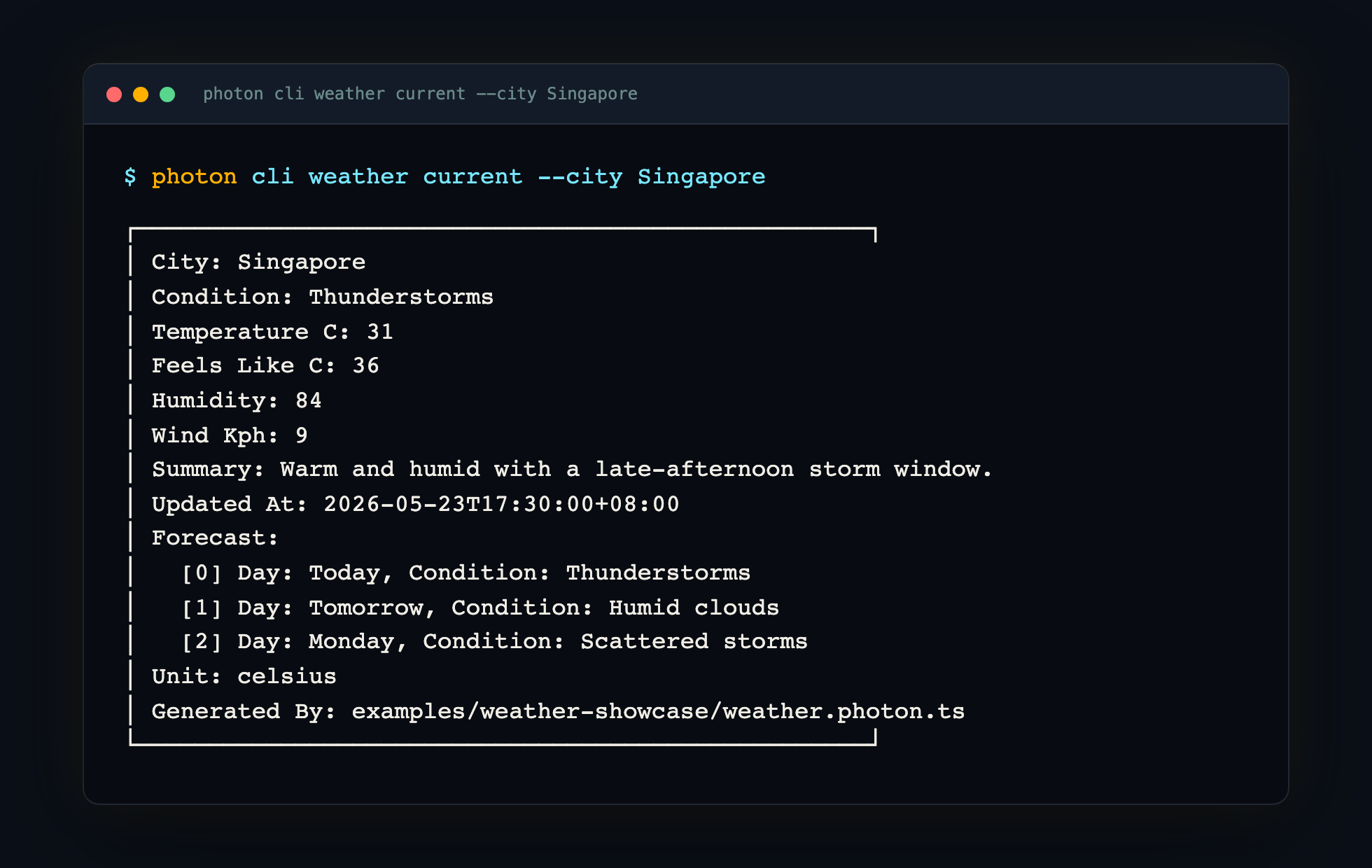
6. Render in Chat Clients
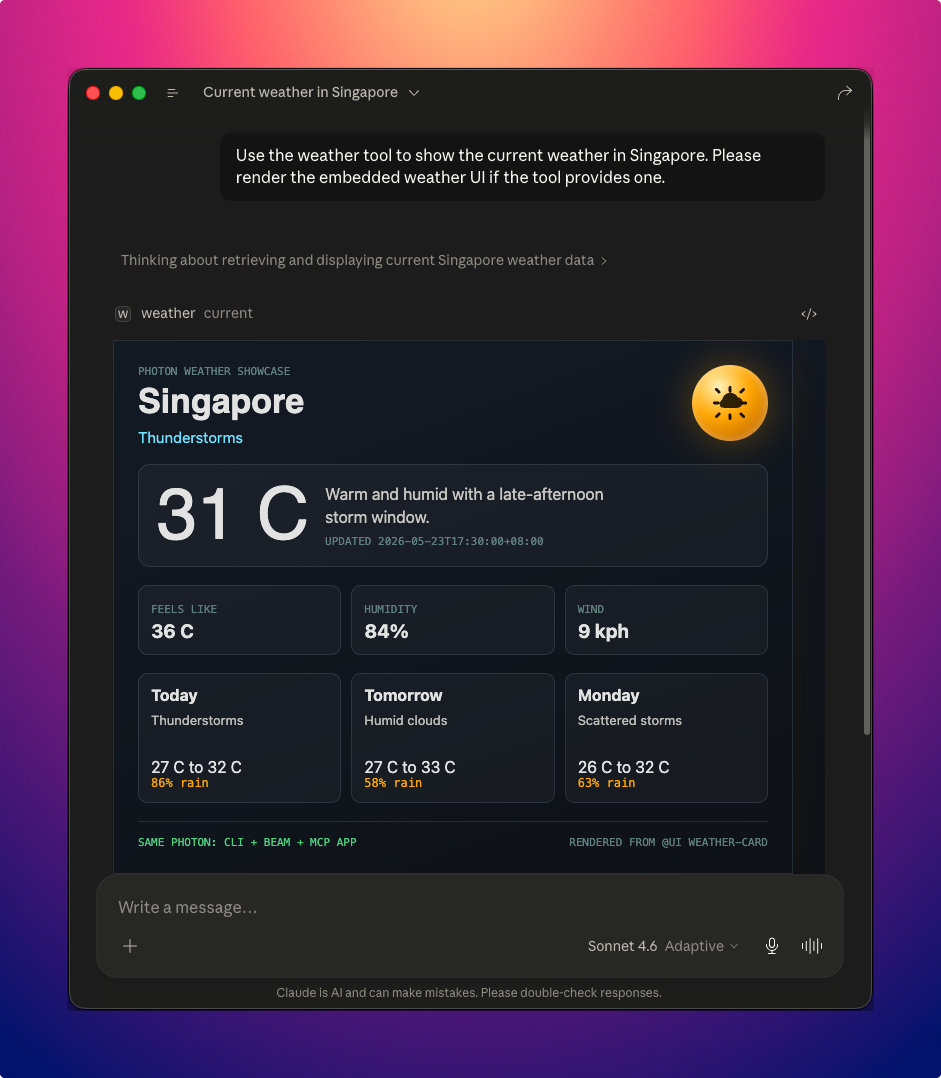
MCP app-capable clients can render the same @ui asset when the tool result is returned. Claude Desktop renders the weather Photon as an embedded MCP app UI inside the chat after the model calls the current tool.
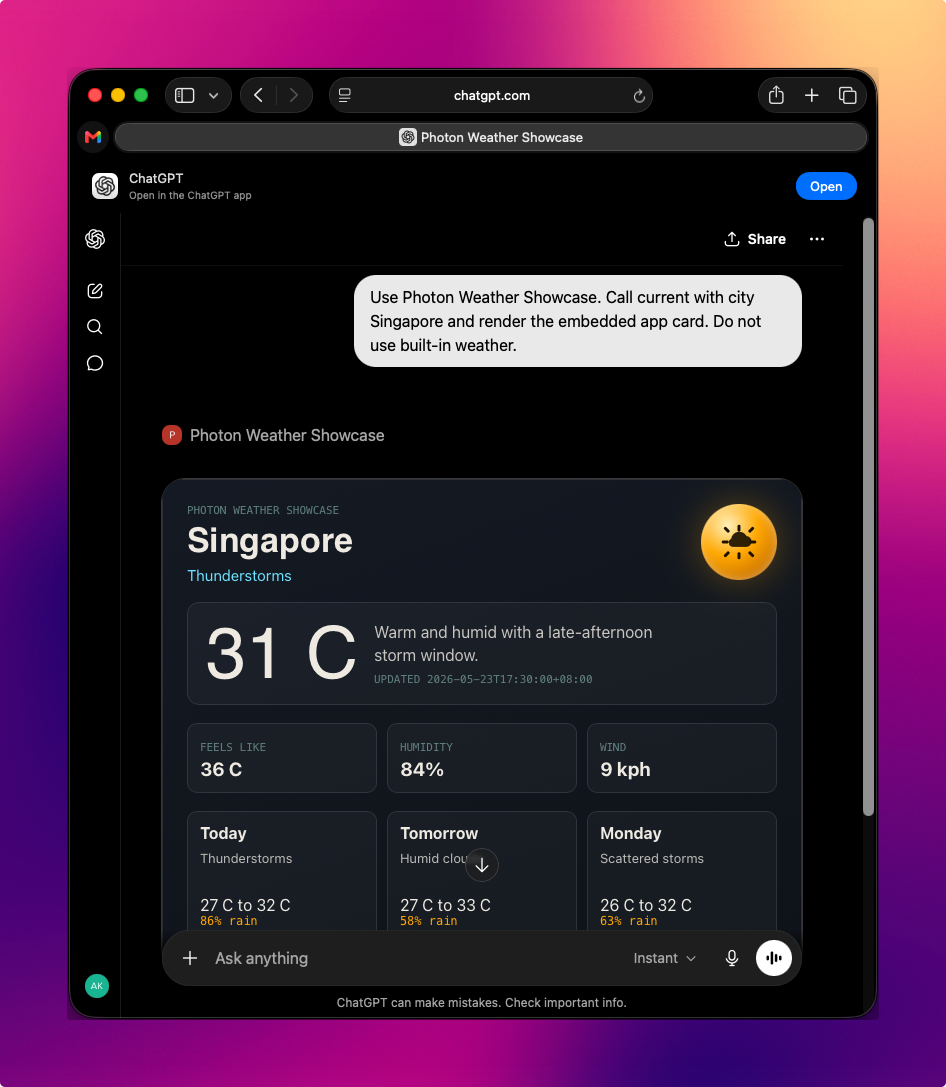
ChatGPT Apps use MCP too. The important difference is that ChatGPT connects to a public HTTPS /mcp endpoint rather than a local stdio command. For local development, expose Photon with a temporary tunnel:
cd examples/weather-showcase
node ../../dist/cli.js mcp weather --transport sse --port 3479
cloudflared tunnel --url http://localhost:3479
Then in ChatGPT:
- Open Settings -> Apps & Connectors -> Advanced settings.
- Enable Developer mode.
- Create a new app.
- Set the app URL to your tunnel's public
/mcpendpoint. - Choose No Auth for this demo.
- Start a new developer-mode chat and add the app from the composer.
- Ask ChatGPT to call
currentwith{ "city": "Singapore" }.
The OpenAI Apps SDK docs describe the same flow: apps are MCP servers, optional web components render in ChatGPT, and developer-mode connectors need a public HTTPS /mcp URL.
In a live ChatGPT developer-mode session, the same local Photon build advertises slashless tools (current, cities) and the app template ui://weather/weather-card. ChatGPT calls current, reads the UI resource, and renders the weather card inline.
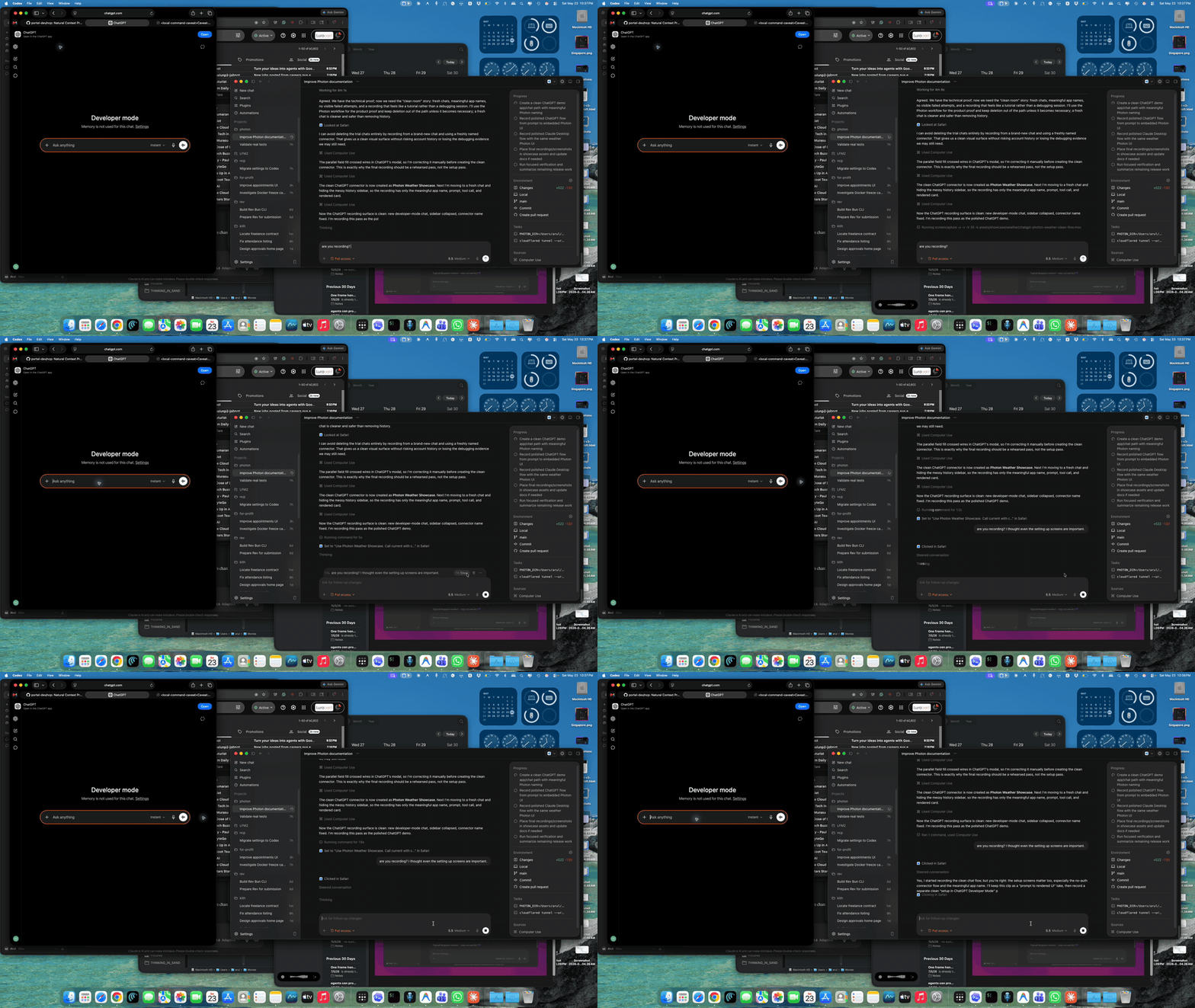
The flow below is a real screen recording of the same connector: prompt, tool call, and embedded UI render from one local Photon.
A redacted connection proof is checked in at assets/showcase/weather/chatgpt-mcp-proof.txt. It records the OpenAI-style MCP probe, the advertised openai/outputTemplate metadata, the slashless tool names, and the resources/read response for the app card.
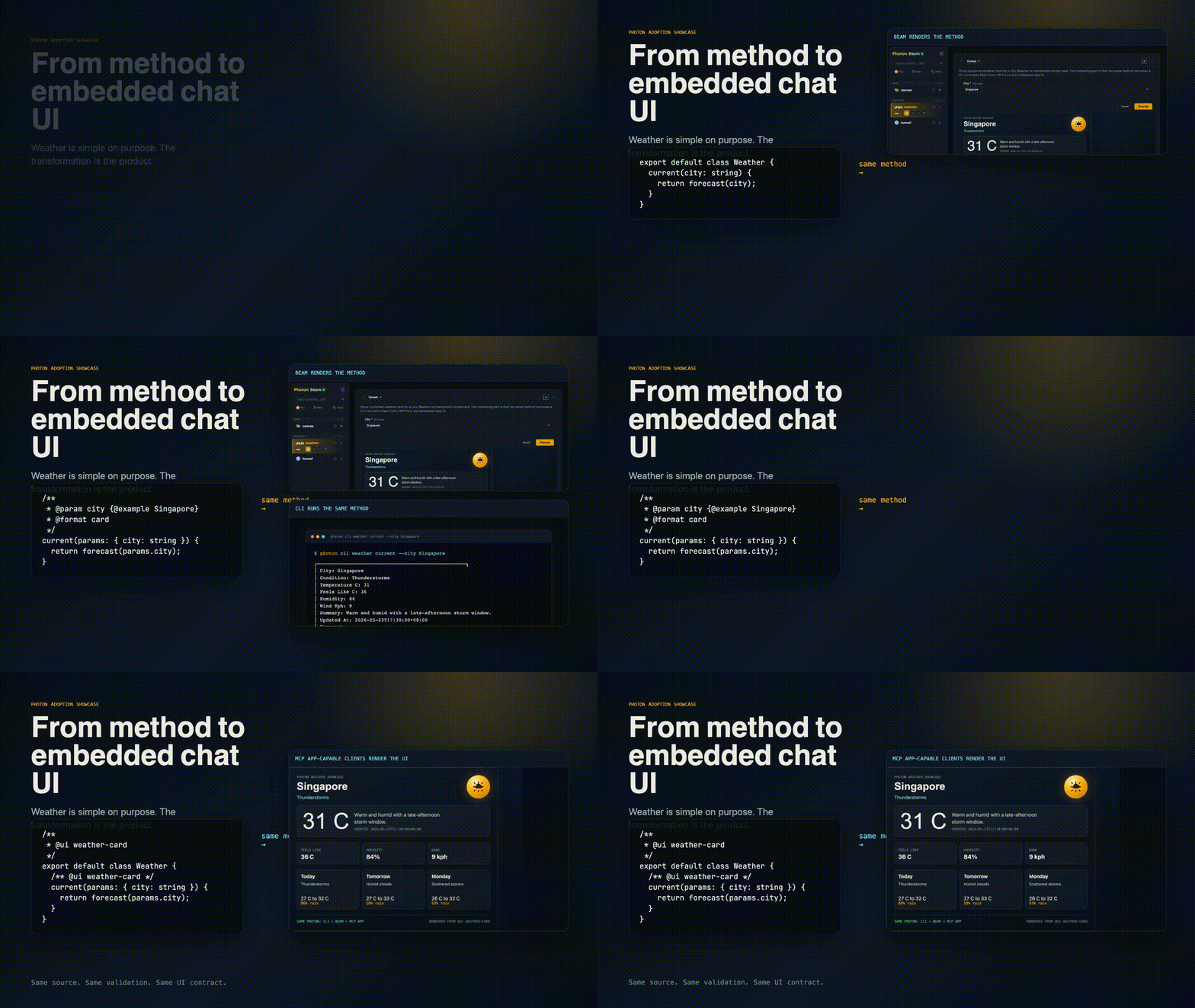
7. The Transformation as a Concept Animation
The animated walkthrough is explanatory, not proof. It shows the idea without depending on a particular live desktop layout: method, intent, CLI, Beam, and chat-client UI all come from the same Photon source.
What This Demonstrates
- The method is the durable capability.
- JSDoc describes intent once for humans, CLIs, and AI clients.
@formatgives every surface a presentation hint.@uiadds a custom app surface without changing the backend method.- Beam, CLI, MCP, and chat-client app surfaces all share the same source.